Forms in React: Validation, Errors, and Better UX
A practical guide to controlled inputs, validation patterns, and using react-hook-form with Zod or Yup — covering error timing, server-side failures, and the submit state that most forms forget.

Every form starts simple. One text field, a submit button, and a quick check that the field isn’t empty. Then someone asks for a confirmation email field that must match the first. Then a phone number with a specific format. Then the server returns “that email is already registered” and the error needs to show up under the email field, not at the top of the page. The ten lines that felt clean start to grow.
React doesn’t come with a form system. It gives you the primitives — controlled inputs, event handlers, state — to build one. Knowing which primitives to use, and when a library actually helps, is the difference between forms that feel finished and forms that fight users.
Quick answer: For most React forms,
react-hook-formwith Zod or Yup is the right combination: minimal re-renders, a clean validation API, and field-level error messages out of the box. For simple cases — a login form, a search box — HTML’s built-in constraint attributes and a small error state variable get you surprisingly far. The complexity of your form should drive which approach you reach for.
Series: This is the final part of the React series. Start with React Fundamentals: Components, Props, and State, cover hooks in React Hooks You’ll Actually Use Every Day, and pick up state management in React State Management: Context, Redux, and Zustand Compared.
On this page
- Controlled vs uncontrolled inputs: the practical difference
- Validation without a library
- react-hook-form: registration over state
- Schema validation with Zod or Yup
- When and how to show errors
- Handling server errors and async checks
- What the submit flow actually requires
Controlled vs uncontrolled inputs: the practical difference
A controlled input is one where React owns the value. You provide value and onChange, and every keystroke flows through state:
const [email, setEmail] = useState('');

<input
  type="email"
  value={email}
  onChange={(e) => setEmail(e.target.value)}
/>
An uncontrolled input lets the DOM own the value. You give it a defaultValue and read it when you need it via a ref:
const inputRef = useRef(null);

// Read with: inputRef.current.value
<input type="email" defaultValue="" ref={inputRef} />
The React docs on <input> are clear about one constraint: you cannot pass value={undefined} and then switch to a string value later. React treats this as flipping between controlled and uncontrolled, which it considers an error over an input’s lifetime. Set an initial empty string — useState('') — and you will never see that warning.
The performance difference matters more than most developers expect. A controlled input re-renders on every keystroke. For a form with fifteen fields all sharing the same parent state, each character typed touches the entire form tree. This is the core reason react-hook-form defaults to uncontrolled inputs with DOM refs — it keeps re-renders nearly zero until submit.
Check this before moving on
- A controlled input requires both
valueandonChange; withoutonChange, the input becomes read-only -
value={undefined}is not the same as “no value” — it triggers a controlled/uncontrolled warning - Uncontrolled inputs (
defaultValue) trigger fewer re-renders because React isn’t tracking the value on every keystroke
Validation without a library
HTML’s constraint validation API handles more than most developers use. The required, minLength, maxLength, type, and pattern attributes prevent submission and can surface error messages without a single line of JavaScript:
<input type="email" required minLength="5" />
<input type="tel" pattern="[0-9]{10}" />
When you need custom messages or field-level feedback inside your own design, the pattern is straightforward: store an error in state, validate on submit, clear it when the user starts correcting:
function LoginForm() {
  const [password, setPassword] = useState('');
  const [error, setError] = useState('');

  function handleSubmit(e) {
    e.preventDefault();
    if (password.length < 8) {
      setError('Password must be at least 8 characters');
      return;
    }
    setError('');
    // proceed with the request
  }

  return (
    <form onSubmit={handleSubmit}>
      <input
        type="password"
        value={password}
        onChange={(e) => {
          setPassword(e.target.value);
          if (error) setError('');
        }}
      />
      {error && <p role="alert">{error}</p>}
      <button type="submit">Log in</button>
    </form>
  );
}
The role="alert" attribute on the error paragraph matters. When an error element appears in the DOM dynamically, screen readers won’t announce it unless you tell them to. One attribute, real difference for keyboard users.
This approach holds up fine for two or three fields. The moment you need cross-field validation, different timing per field, or errors that come back from the server, you’re either rebuilding what a library already solved or managing a growing tangle of error state variables.
react-hook-form: registration over state
React Hook Form registers inputs with a ref and reads their values from the DOM on submit. No state tracking on every keystroke. The API is built around a register function you spread onto each input:
import { useForm } from 'react-hook-form';

function ContactForm() {
  const {
    register,
    handleSubmit,
    formState: { errors },
  } = useForm();

  return (
    <form onSubmit={handleSubmit((data) => console.log(data))}>
      <input
        {...register('email', {
          required: 'Email is required',
          pattern: {
            value: /\S+@\S+\.\S+/,
            message: 'Enter a valid email address',
          },
        })}
        type="email"
      />
      {errors.email && <p role="alert">{errors.email.message}</p>}

      <textarea
        {...register('message', { required: 'Message is required', minLength: 10 })}
      />
      {errors.message && <p role="alert">{errors.message.message}</p>}

      <button type="submit">Send</button>
    </form>
  );
}
register returns a ref, a name, and event handlers that it spreads onto the input. handleSubmit calls your callback only when validation passes, and populates errors when it doesn’t. Validation triggers on submit by default — that’s mode: 'onSubmit' in useForm’s options.
One behavior worth understanding before you build with this: no errors appear while the user is typing. They show up after the first submit attempt. Once a field has failed, it re-validates on each change as the user corrects it. This matches what most users expect from a well-designed form, and react-hook-form ships it without any configuration.
Schema validation with Zod or Yup
Once a form grows past a few fields, inline validation rules inside each register call become hard to follow. Pulling them into a single schema makes the rules easier to read, test, and reuse across forms.
Zod is TypeScript-first and infers its own types. Yup has been around longer and is well-established in JavaScript codebases. Both connect to react-hook-form through @hookform/resolvers:
import { useForm } from 'react-hook-form';
import { zodResolver } from '@hookform/resolvers/zod';
import { z } from 'zod';

const schema = z.object({
  email: z.string().email('Enter a valid email'),
  password: z.string().min(8, 'At least 8 characters'),
  confirmPassword: z.string(),
}).refine(
  (data) => data.password === data.confirmPassword,
  { message: 'Passwords do not match', path: ['confirmPassword'] }
);

type FormData = z.infer<typeof schema>;

function RegisterForm() {
  const {
    register,
    handleSubmit,
    formState: { errors },
  } = useForm<FormData>({ resolver: zodResolver(schema) });

  return (
    <form onSubmit={handleSubmit((data) => console.log(data))}>
      <input {...register('email')} type="email" />
      {errors.email && <p role="alert">{errors.email.message}</p>}

      <input {...register('password')} type="password" />
      {errors.password && <p role="alert">{errors.password.message}</p>}

      <input {...register('confirmPassword')} type="password" />
      {errors.confirmPassword && (
        <p role="alert">{errors.confirmPassword.message}</p>
      )}

      <button type="submit">Register</button>
    </form>
  );
}
The .refine() call handles the cross-field password check without a custom validate function. The path option tells Zod which field the error belongs to, so it surfaces on confirmPassword rather than the root form object.
z.infer<typeof schema> gives you the TypeScript type of a validated submission — no separate interface to maintain. I prefer Zod for new TypeScript projects for exactly this reason. If you’re already using Yup, the pattern is identical — swap zodResolver for yupResolver.
When and how to show errors
This is the part most forms get wrong. The validation logic is usually correct. The timing and placement of errors often isn’t.
Three patterns that feel right to users:
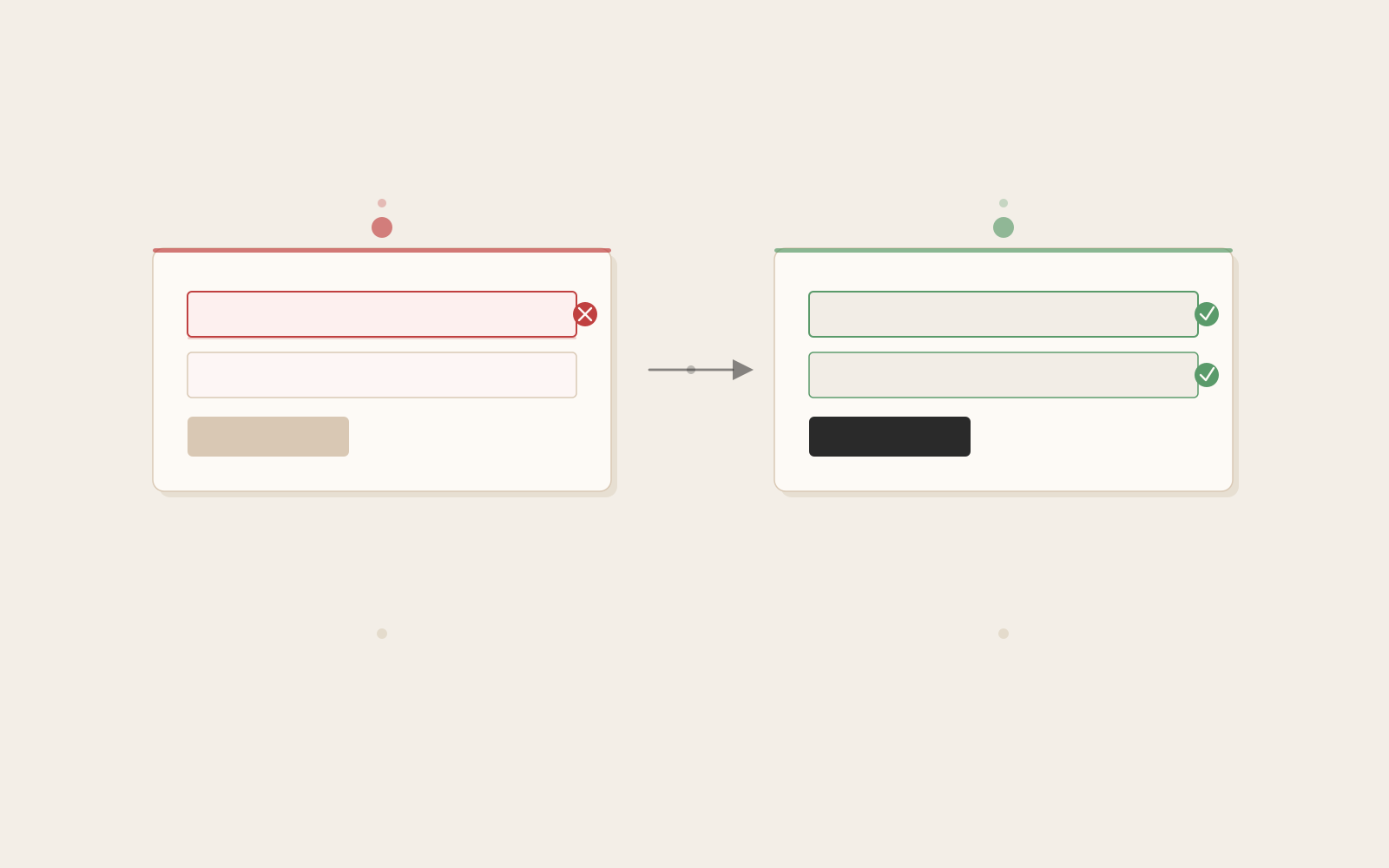
Submit first, then re-validate on change. Do not show errors while someone is still typing their email. Show them after they hit submit. Once a field has failed, update the error message as they correct it. React Hook Form’s default mode: 'onSubmit' with reValidateMode: 'onChange' does exactly this — no configuration needed.
Inline, field-level messages. An error notice at the top of the form saying “Please fix the errors below” is far less useful than a short message directly beneath the broken field. The errors.fieldName.message pattern from react-hook-form makes inline placement trivial.
Use role="alert" on dynamically-injected errors. When an error paragraph appears in the DOM after a submit event, a screen reader won’t announce it by default. role="alert" tells the browser to interrupt and read it immediately.
Handling server errors and async checks
Two scenarios that come up in almost every production form:
Email already registered. The user fills in a valid-looking email, submits, and the server returns a conflict. The form is syntactically correct — the problem is a uniqueness constraint in the database. The right move is to map that response back to the specific field:
const { register, handleSubmit, setError } = useForm();

async function onSubmit(data) {
  try {
    await registerUser(data);
  } catch (err) {
    if (err.code === 'EMAIL_EXISTS') {
      setError('email', {
        type: 'server',
        message: 'This email is already registered',
      });
    }
  }
}
setError pushes an error onto a specific field after any async operation. The field highlights, the message appears, and the user knows exactly what to change — without the form resetting or losing other data they typed.
Username availability check. Checking a username while the user types is common. Pass a validate function that returns a promise to register:
register('username', {
  validate: async (value) => {
    if (!value) return true;
    const available = await checkUsername(value);
    return available || 'This username is taken';
  },
})
One thing to watch: this fires on every change event in onChange mode. Debounce the request — otherwise you’re hitting your API on every character. A 300ms debounce keeps the experience responsive without flooding the server.
What the submit flow actually requires
Validation logic is rarely the hard part. The state around the submit action is where most forms end up incomplete.
formState.isSubmitting gives you a boolean for the loading state. Use it to disable the button and prevent double-submits. formState.isDirty tells you whether anything changed since the form was last populated — useful for “unsaved changes” warnings. reset() returns the form to its default values, which you need after a successful save:
const {
  register,
  handleSubmit,
  formState: { isSubmitting, isDirty },
  reset,
} = useForm();

async function onSubmit(data) {
  await saveData(data);
  reset(); // return form to defaults after a successful save
}

<button type="submit" disabled={isSubmitting || !isDirty}>
  {isSubmitting ? 'Saving...' : 'Save'}
</button>
These three — loading state, dirty tracking, and reset — are what turn a form that submits into a form that feels complete. They’re easy to miss because they’re not about validation at all.
This is where the React series ends. The hooks, component patterns, state management approaches, and form libraries covered across these posts are the foundation of almost every React app you’ll build. What changes with experience is the judgment about how to combine them — and that part only comes from building real things.