Next.js vs React: What Should You Actually Learn?
I explain how React and Next.js relate, what the framework adds on top of the library, and give you a concrete guide for which to start with based on what you're actually building.
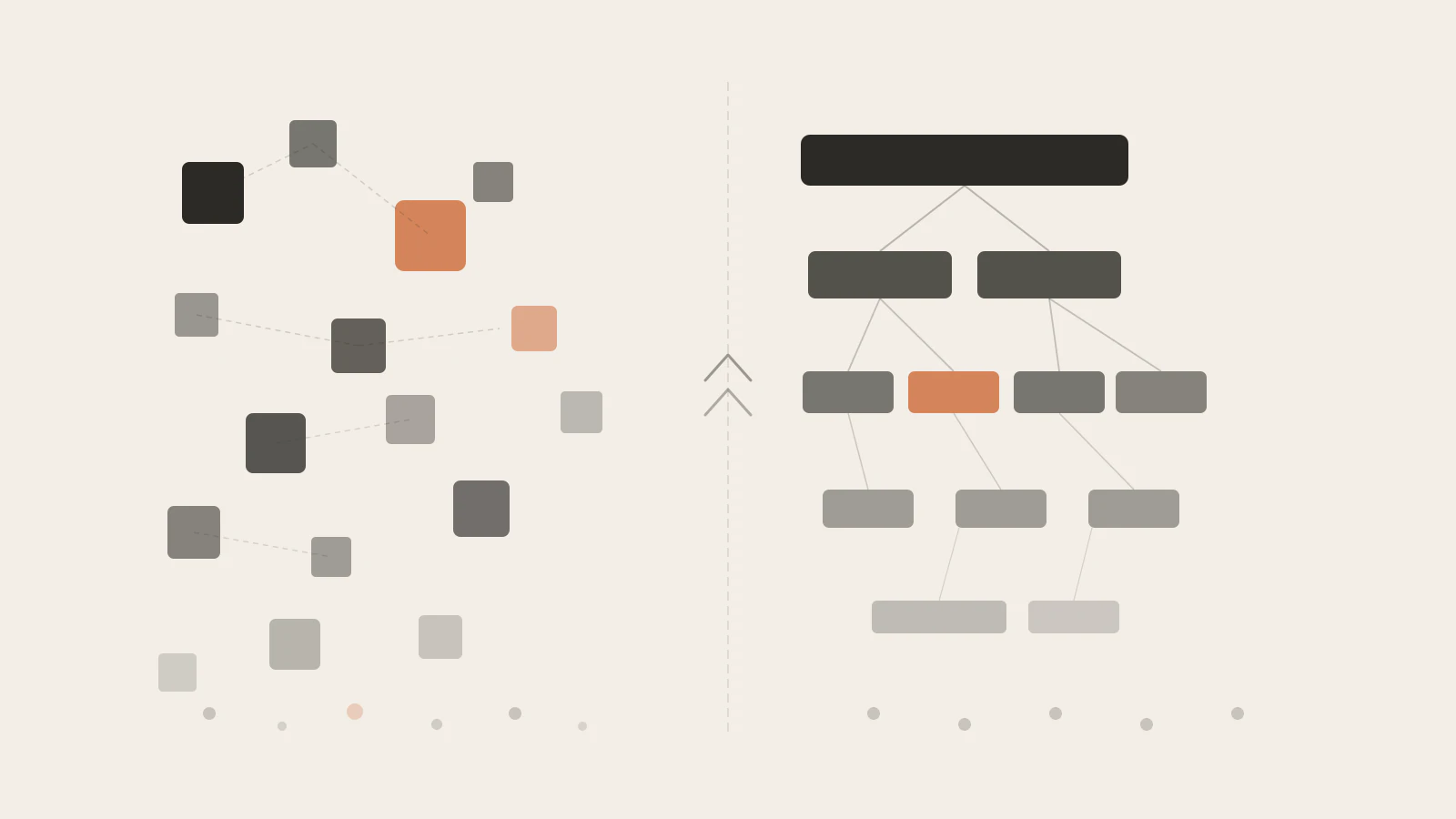
Most people treat this question like a competition. React on one side, Next.js on the other — pick your fighter, add it to your LinkedIn. But that framing falls apart the moment you look at what each thing actually is.
React is a UI library. Next.js is a full-stack framework built on top of React. They’re not alternatives you choose between — one lives inside the other. And once you understand that relationship, the question “which should I learn?” becomes much easier to answer.
What I’m going to do here is lay out what each one does, where the real decision point is, and give you a concrete recommendation based on what you’re actually building — not on which one has more GitHub stars this week.
This post connects to React Fundamentals: Components, Props, and State for the library basics, and Getting Started with Next.js App Router for the framework deep-dive once you’re ready.
On this page
- React is a library; Next.js is a framework built on it
- What Next.js adds on top of React
- Who should spend time with React first
- When a React SPA is genuinely enough
- Where the Next.js extras earn their cost
- The mistake that costs months of learning time
- Choose based on what you’re building
React is a library; Next.js is a framework built on it
React’s scope is deliberately narrow. It gives you a component model, a way to describe UI as a function of state, and an efficient reconciliation engine that keeps the DOM in sync with that state. That’s roughly where it stops.
You can bootstrap a React app with Vite in two minutes:
// src/App.tsx
export default function App() {
  return <h1>My App</h1>;
}
But the moment you need more than one page, you’re reaching for React Router. The moment you want server-rendered HTML, you’re setting up a server yourself. API endpoints? A separate backend service. Image optimization? Another package. React is unopinionated about all of it by design — you make the choices.
Next.js makes those choices for you. The official description from the Next.js documentation puts it plainly: “Next.js is a React framework for building full-stack web applications.” You write the same React components, the same JSX, the same hooks — but the framework wraps them in built-in routing, rendering strategies, and infrastructure.
Here’s the difference that matters most day to day: file-system routing. In a plain React app, a route is something you configure. In Next.js, a route is a file:
// app/dashboard/page.tsx
// This file IS the /dashboard route. No configuration needed.
export default function Dashboard() {
  return <h1>Dashboard</h1>;
}
Create the file, get the route. That pattern extends to layouts, loading states, error boundaries, and API endpoints. The framework owns the structure; you fill in the content.
What Next.js adds on top of React
The gap between plain React and Next.js is worth being specific about. Here’s what the framework handles that the library doesn’t:
Routing. File-system routing via the app/ directory. Every page.tsx is a route. Nested folders create nested routes. Shared UI goes in layout.tsx. No router library to install or configure.
Rendering strategy. Pages can be statically generated at build time (SSG), server-rendered per request (SSR), or both on a per-route basis. React on its own renders entirely in the browser — you get an empty <div id="root"> until JavaScript executes. Next.js sends real HTML.
Server Components. React Server Components run only on the server, never ship JavaScript to the browser, and can read from databases or the file system directly. They’re a React feature, but Next.js is currently the most complete production implementation of them.
// This is a Server Component — no 'use client' directive
// It runs on the server, can query a database, and sends zero JS to the browser
async function RecentPosts() {
  const posts = await db.post.findMany({ take: 5, orderBy: { createdAt: 'desc' } });
  return (
    <ul>
      {posts.map(post => (
        <li key={post.id}>{post.title}</li>
      ))}
    </ul>
  );
}
Route Handlers. API endpoints live inside the same codebase, next to the pages that use them:
// app/api/posts/route.ts
export async function GET() {
  const posts = await db.post.findMany();
  return Response.json(posts);
}
Image optimization. The next/image component handles resizing, format conversion (WebP, AVIF), and lazy loading automatically. Swapping a plain <img> for it is consistently one of the highest-impact changes you can make for Core Web Vitals.
TypeScript, ESLint, and bundling come pre-configured via create-next-app. Turbopack is the default bundler as of recent versions. You spend less time on toolchain decisions.
Who should spend time with React first
My honest answer: almost everyone benefits from spending real time with React before jumping into Next.js.
Here’s the reasoning. Next.js is opinionated. It has file conventions that determine your routes, a Server/Client Component distinction that determines where code runs, and a metadata API that generates your <head>. Each of those opinions makes sense — but only once you understand the React model underneath them.
When something breaks in a Next.js app, debugging it almost always means understanding React first: why a hydration mismatch occurs (server HTML doesn’t match what the client renders), why a component works on the server but throws in the browser (it’s using a browser-only API), why an effect fires more times than you expected (stale closure in the dependency array). These are React problems, not Next.js problems.
React Fundamentals covers the component model: UI as a function of state, one-way data flow, and how useState works under the hood. React Hooks You’ll Actually Use Every Day covers the mechanics — useEffect, useCallback, useMemo, useRef — and the specific failure modes each one has. Both are worth going through before the framework starts making architectural decisions for you.
One thing that surprised me when writing this: the React documentation itself now recommends starting with a framework for most new apps. They list Next.js as the first recommendation. That doesn’t mean skipping the library fundamentals — it means that for production apps, the framework is the expected context. Learning React inside a Next.js project is a reasonable path for someone with some JavaScript experience.
The part that still holds: if you run into a confusing Server Component error and you haven’t built a controlled form or managed async data fetching with plain useState and useEffect yet, you’ll be debugging by trial and error. That’s slow and demoralizing.
Check this before moving on to Next.js
- You can build a multi-step form with
useStatealone — no form library - You know what the
useEffectdependency array controls and why an empty array means “run once” - You’ve hit a stale closure bug and understood why it happened
- You can explain lifting state up versus using Context for the same shared data problem
If those feel shaky, React Hooks You’ll Actually Use Every Day and React State Management: Context, Redux, and Zustand are the right next reads.
When a React SPA is genuinely enough
Server-side rendering is not always the answer. A plain React app — served as a static index.html with JavaScript — is the right tool in several common cases:
Internal dashboards and admin tools. These live behind authentication. Search engines don’t crawl them, and SEO is irrelevant. The initial loading state doesn’t affect conversion rates. A React SPA deployed to a CDN is simpler, cheaper, and easier to reason about than a Next.js app for this use case.
Highly interactive applications. Rich text editors, design tools, canvas-based apps, and anything where the entire experience is client-side state don’t benefit from server rendering an initial frame. Dragging an element or drawing on a canvas doesn’t get faster because the page had HTML in its initial response.
Apps that fetch real-time data on the client anyway. If your data changes frequently and you’re pulling updates via a WebSocket or polling interval, the server-rendered initial snapshot is stale by the time the page loads. You’re handling data freshness on the client regardless. The SSR layer adds complexity without improving the experience.
Single-purpose tools. A calculator, a code formatter, a color picker, a unit converter — anything where the whole product fits on one page and has no SEO goal. React SPA with Vite is the least-overhead option.
Where the Next.js extras earn their cost
The framework layer is worth its complexity in a clear set of scenarios:
Content-driven public sites. Blogs, documentation, marketing pages, and portfolios all benefit from static generation. Pages are baked into HTML at build time, served from a CDN, and fast for search crawlers. This is Next.js doing exactly what it was built for. Getting Started with Next.js App Router goes into how the rendering model works in practice.
Multi-page public applications. File-system routing scales well for apps with many routes. Nested layouts, per-route loading states, and shared navigation are handled by the framework conventions. Configuring all of that yourself in a plain React app is solvable but tedious.
Full-stack solo projects. Route handlers give you a backend API inside the same Next.js codebase. For a personal project or an early product, one deployment target, one codebase, and shared TypeScript types between your frontend and API is a real advantage.
Auth that needs the server involved. Cookie-based sessions, server-side token validation, redirecting unauthenticated users before any React renders — these are cleaner and more secure when you have a server in the stack. The middleware layer in Next.js handles this well.
Image-heavy pages where performance matters. The next/image component handles WebP/AVIF conversion, responsive sizes, and lazy loading. For product pages, blog posts with hero images, or any page where Largest Contentful Paint is tracked, this optimization is worth having built in.
The mistake that costs months of learning time
The pattern I see fairly often: someone picks up Next.js, learns the folder conventions, gets things working by copying examples — and then hits a wall when something breaks and they don’t know why.
The Server Component / Client Component split is the most common source of that confusion. These two things look identical in syntax but run in fundamentally different environments:
// Server Component — no directive, runs only on the server
// Can be async, can access the database, sends zero JS to the browser
async function PostList() {
  const posts = await db.post.findMany();
  return <ul>{posts.map(p => <li key={p.id}>{p.title}</li>)}</ul>;
}
'use client';
// Client Component — runs in the browser, can use hooks and event handlers
// Cannot be async at the top level; cannot directly query a database
import { useState } from 'react';
function LikeButton({ postId }: { postId: string }) {
const [liked, setLiked] = useState(false);
return (
<button onClick={() => setLiked(true)}>
{liked ? '❤️' : '🤍'}
</button>
);
}The 'use client' directive is a boundary. Everything inside it runs in the browser. Everything outside it runs on the server during rendering. If you try to use useState in a Server Component, you’ll get an error. If you try to do a database call inside a Client Component, it’ll run in the browser — where the database doesn’t exist.
This is intuitive once you understand the React rendering model and what “hydration” means. Without that foundation, you copy the directive around by trial and error, hoping the error goes away.
The shortcut I’d give anyone in this situation: build one project with plain React, using only Vite. Set up React Router yourself. Write a data-fetching hook with useEffect and fetch. Feel the friction. Then switch to Next.js. You’ll know exactly what every piece of it is replacing.
Choose based on what you’re building
Here’s the honest decision guide. These aren’t rules — they’re starting points based on what matters for each situation:
| Your situation | Start with | Why |
|---|---|---|
| Blog, portfolio, or content site | Next.js | SSG + SEO + image optimization built in |
| Internal admin tool or dashboard | React SPA | No SSR needed; simpler deployment |
| Learning React components and hooks | React first | Framework patterns require the library basics |
| Full-stack solo project | Next.js | Routing + API + frontend in one codebase |
| Highly interactive or canvas-based app | React SPA | Server rendering adds little here |
| Preparing for frontend job interviews | React first, then both | Interviewers test React, not framework knowledge |
| E-commerce or marketing site with SEO goals | Next.js | Fast HTML, crawlable routes, image handling |
Neither path is wrong. React alone gives you the fundamentals and an unobstructed view of what every framework is solving for you. Next.js gives you the infrastructure to ship real products quickly. For most projects that will be public-facing and need to load fast on search results, Next.js is where you’ll end up anyway.
The framework doesn’t replace understanding the library
The thing to hold onto: React components, state, hooks, and the rendering model don’t change when you move into Next.js. They’re the foundation. The framework adds structure and infrastructure on top — it doesn’t replace the knowledge underneath.
Start with React if you’re building your mental model. The investment pays off every time you debug a Next.js issue, because the bugs are almost always React bugs wearing a Next.js costume.
If you’re already comfortable with the library and you’re starting a new project, reach for Next.js. The React team’s own guidance has shifted toward “start with a framework for most apps” — and for most public-facing work, that’s a sensible default.
One clear next step: if you’re ready to go deeper on the framework side, Getting Started with Next.js App Router covers the routing model, layout conventions, and the Server vs Client Component distinction in full.