Data Fetching and Caching in Next.js
I explain the three Next.js cache layers and show which tool — fetch options, React.cache, unstable_cache, revalidatePath, or revalidateTag — fits each situation.
If you built your mental model of Next.js on version 14 tutorials, one thing is quietly wrong: the caching defaults changed in version 15. In v14, every fetch inside a Server Component was cached indefinitely unless you opted out. In v15, the default flipped — fetch is uncached, behaving like a normal browser request.
That single reversal trips up a lot of developers, but the bigger source of confusion is that Next.js doesn’t have one caching mechanism — it has three, layered on top of each other. Mixing them up leads to pages that never refresh, or databases getting hit far more than they should.
This is part of the ongoing Next.js series on this blog. The async and Promise mechanics and the React fundamentals underlying Server Components are covered separately — this post focuses on the caching layer specifically.
On this page
- What changed in Next.js 15
- Three cache layers, one mental model
- Caching fetch requests
- Caching non-fetch data: React.cache and unstable_cache
- On-demand revalidation: revalidatePath versus revalidateTag
- Server Actions: where mutations and revalidation meet
- Common mistakes worth naming
- Which tool for which situation
What changed in Next.js 15
In Next.js 14, the framework cached fetch responses aggressively. A fetch in a Server Component would run once at build time or on the first request and stay cached indefinitely. You had to pass { cache: 'no-store' } to get fresh data on every request. The intent was static-first performance by default.
Next.js 15 reversed this. The documentation now states: fetch requests are not cached by default. A plain fetch in a Server Component runs on every request, just like it would in a browser or Node.js script.
// Next.js 15: runs on every request, no caching
export default async function Page() {
  const res = await fetch('https://api.example.com/posts')
  const posts = await res.json()
  return <PostList posts={posts} />
}
If you’re reading an older tutorial that shows fetch “just working” as a cache: check the version. For everything targeting Next.js 15, the starting point is “opt in to caching,” not “opt out.”
Three cache layers, one mental model
There are three distinct caching layers in Next.js. Understanding which one you’re dealing with explains most of the unexpected behaviour developers run into.
Request memoization sits at the top. It deduplicates identical function calls within a single render pass — if two Server Components both call getUser('123') during the same request, the second call returns the cached result from the first without re-running the function. This is scoped to one request and cleared once it completes. It does not persist to the next request. The tool for this is React.cache from the react package.
Data Cache is the persistent layer. It stores fetched data across multiple requests and redeployments, and it’s what most developers mean when they talk about “caching” in Next.js. It persists until you either set a revalidation interval or call an on-demand invalidation function. The tools for this are fetch with the force-cache option and unstable_cache from next/cache.
Full Route Cache is built at deploy time for statically rendered routes. If a route has any uncached data — any fetch without force-cache, any database query that’s not behind unstable_cache — Next.js renders it dynamically on every request instead of serving pre-built HTML.
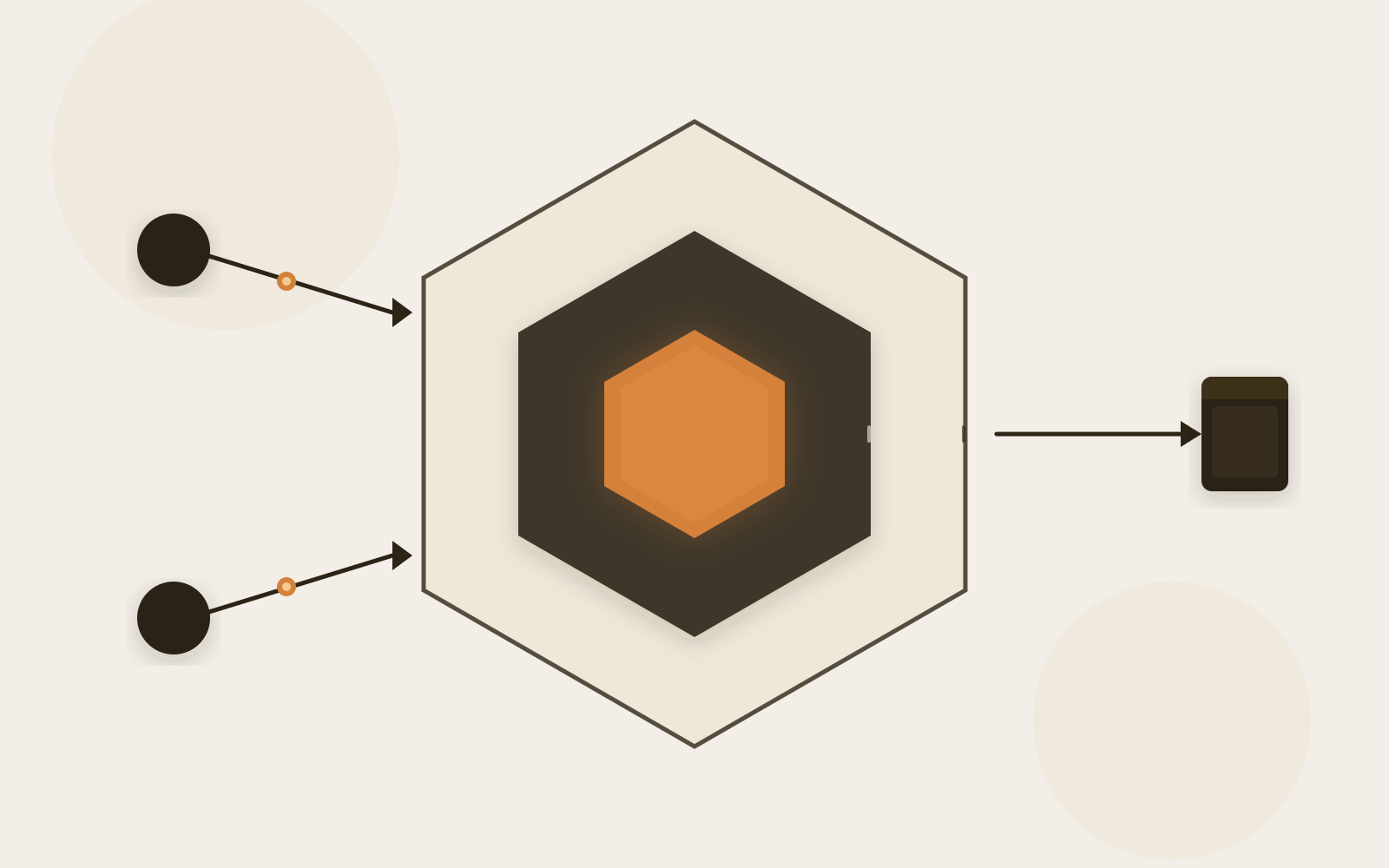
The three cache layers from outside in: Full Route Cache (build-time static HTML), Data Cache (persistent across requests), and request memoization (per-request dedup only).
The confusion I see most often is between request memoization and Data Cache. React.cache is not a persistent cache — wrapping your database function in it does not mean it won’t hit the database on the next page load. It only helps when the same function is called multiple times within one request.
Caching fetch requests
For external API calls using fetch, there are three modes:
No cache (Next.js 15 default):
const res = await fetch('https://api.example.com/posts')Fresh data on every request. Right for personalised or highly time-sensitive data.
Persistent cache:
const res = await fetch('https://api.example.com/posts', {
  cache: 'force-cache',
})
The response enters the Data Cache and persists until you explicitly invalidate it with revalidatePath or revalidateTag.
Time-based revalidation:
const res = await fetch('https://api.example.com/posts', {
  next: { revalidate: 3600 }, // seconds
})
Cached for 3600 seconds. After that, the next request gets stale content while fresh data loads in the background — this is the ISR (Incremental Static Regeneration) pattern.
You can also tag a fetch request for selective invalidation later:
const res = await fetch('https://api.example.com/posts', {
  next: { tags: ['posts'], revalidate: 3600 },
})
The tags option lets you call revalidateTag('posts') later and purge every cached response bearing that tag — regardless of which page it lives on.
Caching non-fetch data: React.cache and unstable_cache
When you query a database directly through an ORM or query client, fetch isn’t involved, so the built-in fetch caching doesn’t apply. There are two different patterns for these cases, and they do different jobs.
React.cache — per-request deduplication:
import { cache } from 'react'
import { db } from '@/lib/db'
import { eq } from 'drizzle-orm'

export const getUser = cache(async (id: string) => {
  return db.query.users.findFirst({
    where: eq(users.id, id),
  })
})
Any Server Component in the same request can call getUser('123') without triggering a second database round-trip. But on the next request, the function runs again. This is purely a within-request optimisation — there’s no cross-request persistence.
unstable_cache — persistent Data Cache for non-fetch sources:
import { unstable_cache } from 'next/cache'
import { db } from '@/lib/db'
import { eq } from 'drizzle-orm'

export const getPublishedPosts = unstable_cache(
  async () => db.select().from(posts).where(eq(posts.published, true)),
  ['published-posts'], // cache key
  { tags: ['posts'], revalidate: 3600 }
)
This stores the result in the Data Cache across requests. The cache key (['published-posts']) uniquely identifies the entry. The tags option means you can call revalidateTag('posts') later to purge it — without knowing which pages or URLs are affected.
Check this before moving on
- You know whether your data needs to persist across requests or just deduplicate within one
- Your
unstable_cacheor taggedfetchentries have meaningful string tags - You’re not relying on
React.cacheto avoid database hits across page loads
On-demand revalidation: revalidatePath versus revalidateTag
Both functions live in next/cache and work in Server Actions or Route Handlers. They do different jobs.
revalidatePath purges all cached data for a specific URL:
import { revalidatePath } from 'next/cache'
revalidatePath('/blog/my-post-slug')
Use this when a mutation affects exactly one route. Calling revalidatePath('/blog/my-post-slug') marks that path’s cache as stale; the next visit triggers a fresh render.
revalidateTag purges all data bearing a specific tag, across every page that uses it:
import { revalidateTag } from 'next/cache'
revalidateTag('posts')
This is more powerful when one mutation affects data shared across multiple routes — the blog listing, the homepage’s recent posts section, the author page, the RSS feed. Calling revalidateTag('posts') covers all of them in one call. You don’t have to track which paths are affected.
The practical rule: if you know the exact URL, use revalidatePath. If the data appears across several pages, use revalidateTag.
Server Actions: where mutations and revalidation meet
Server Actions are the natural place to call revalidation — you’re already on the server, you’ve just mutated data, and you know exactly what changed. The pattern is straightforward: mutate, then revalidate.
'use server'

import { revalidateTag } from 'next/cache'
import { db } from '@/lib/db'
import { eq } from 'drizzle-orm'

export async function publishPost(id: string) {
  await db
    .update(posts)
    .set({ published: true })
    .where(eq(posts.id, id))

  revalidateTag('posts')
}
After publishPost resolves, the next request to any page or component with data tagged 'posts' re-runs the query and gets fresh data. You don’t manage cache state yourself — you just tell Next.js what changed.
This integrates cleanly with form actions. A <form action={publishPost}> renders on the client and calls this Server Action on submit; the revalidation runs server-side as part of the same round trip.
One thing to know: revalidation is lazy. revalidateTag doesn’t pre-warm the cache with fresh data. It marks the entry as stale. The fresh data is fetched on the next request that hits that data. For high-traffic pages this is usually fine — a request arrives quickly and the cache warms again. For admin interfaces where an editor needs to see their changes immediately, account for this: the first page load after a mutation is the uncached render.
Common mistakes worth naming
Treating React.cache as a persistent cache. I’ve seen developers wrap every database function in cache from React and wonder why their app still hits the database on every page load. React.cache only deduplicates within a single render pass. If your route renders three Server Components that all need the same user record, React.cache saves two database calls. But it saves nothing across separate page loads. For persistence, use unstable_cache.
Assuming revalidate: 0 means “don’t cache.” Setting revalidate: 0 on a fetch call or unstable_cache entry doesn’t skip the cache entirely — it means the entry should be considered stale immediately and revalidated on the next request. If you want to bypass the Data Cache completely and fetch fresh on every request, use { cache: 'no-store' }.
Forgetting that revalidatePath doesn’t cross page boundaries. If you call revalidatePath('/blog/my-post') after updating shared data, only /blog/my-post gets fresh data. The homepage’s recent posts list, which might use the same data tagged 'posts', continues serving stale content until its cache entry is also invalidated. When data is shared, tags are the right tool.
Which tool for which situation
| Situation | Tool | Note |
|---|---|---|
| External API, fresh every request | fetch (default in Next.js 15) |
No caching, runs each time |
| External API, cache indefinitely | fetch + cache: 'force-cache' |
Invalidate via path or tag |
| External API, ISR-style refresh | fetch + next: { revalidate: N } |
Background refresh after N seconds |
| DB query, deduplicate within one request | React.cache from 'react' |
Per-request only, no persistence |
| DB query, persist across requests | unstable_cache with tags |
Cross-request, tag invalidation |
| Mutation affecting one specific page | revalidatePath('/path') in Server Action |
Scoped path invalidation |
| Mutation affecting shared data | revalidateTag('tag') in Server Action |
Cross-page tag invalidation |
The underlying logic is simple. React.cache and plain fetch are scoped to a single request. fetch with force-cache and unstable_cache persist in the Data Cache. revalidatePath and revalidateTag are your reset buttons — path-scoped for specific routes, tag-scoped when data crosses pages.
Once you can answer two questions — does this data need to survive more than one request, and when should it be refreshed? — the API choice follows naturally. The caching model in Next.js is not as complicated as the volume of configuration options makes it appear. Most apps need three or four of these tools, used consistently.