Authentication in Next.js: A Practical Architecture
I walk through the session-based architecture for Next.js 15 authentication — setting up Auth.js, choosing between stateless and database sessions, and protecting routes with middleware.
Most auth tutorials for Next.js end at the sign-in button. Install a library, configure a provider, click the button, and the user is logged in. That’s the easy part.
The part that actually matters — managing sessions, deciding what gets protected, and stopping someone from bypassing the login screen by hitting an API route directly — is where most implementations have gaps. Those gaps aren’t obvious until something breaks in production, and by then the auth logic is scattered across five files with no clear entry point.
Quick answer: For most Next.js 15 projects, the practical setup is Auth.js v5 for authentication, a stateless session stored in an encrypted HTTP-only cookie, and
middleware.tsfor route-level redirects. Layer in a Data Access Layer function that verifies the session independently before any sensitive data is returned. That covers social logins, credential logins, and most authorization patterns without adding a dedicated session database.
On this page
- Three concepts, three different places in Next.js
- Setting up Auth.js in a Next.js 15 project
- How session management actually works
- Protecting routes with middleware
- Where this architecture has gaps
- Choosing the right setup for your situation
Three concepts, three different places in Next.js
The Next.js authentication documentation frames auth as three distinct concerns, and that framing is worth understanding before you touch any code.
Authentication is proving identity. A password check, an OAuth callback, a magic link — all of these verify who the user is. This happens once per login, usually in a Server Action or Route Handler.
Session management is remembering that identity across requests. Once the user proves who they are, you store that fact somewhere — a cookie, a database, or both. Sessions persist the logged-in state between page loads and API calls.
Authorization is deciding what an authenticated user can access. Admin role? Show the dashboard. Free tier? Block the premium page. This can happen in middleware, Server Components, Route Handlers, or Server Actions — but it should always happen as close as possible to the data you’re protecting.
Most auth bugs come from checking the wrong thing in the wrong layer. A layout that hides an admin link is not security. Someone can hit /admin/api/delete-user directly. Authorization must live where the data is, not just in the UI.
If this pattern of separating responsibilities reminds you of how you think about state management and context in React, the instinct is right — the same principle of putting logic near the thing it governs applies here too.
Setting up Auth.js in a Next.js 15 project
Auth.js v5 (installed as next-auth@beta) handles the OAuth dance, issues sessions, and provides helpers for reading the session in both Server and Client Components. It’s the most widely used auth library for Next.js and covers most providers out of the box.
Install it:
npm install next-auth@betaGenerate a secret key and write it to .env.local:
npx auth secretThis creates AUTH_SECRET. Auth.js uses it to sign and encrypt session tokens — without it, sessions can be forged.
Create auth.ts at your project root. This is where you configure providers and export the helpers everything else in the app uses:
import NextAuth from "next-auth"
import GitHub from "next-auth/providers/github"

export const { handlers, signIn, signOut, auth } = NextAuth({
  providers: [GitHub],
})
Then create the route handler at app/api/auth/[...nextauth]/route.ts:
import { handlers } from "@/auth"
export const { GET, POST } = handlers
Every Auth.js endpoint — OAuth redirects, session token exchange, logout — is handled through these routes. The OAuth callback logic is not something you implement yourself.
To read the session in a Server Component, call auth():
import { auth } from "@/auth"
import { redirect } from "next/navigation"

export default async function DashboardPage() {
  const session = await auth()

  if (!session) {
    redirect("/login")
  }

  return <div>Welcome, {session.user?.name}</div>
}
The session object contains what the provider returns — name, email, image — plus any custom fields you add through the callbacks option in auth.ts.
Check this before moving on
-
AUTH_SECRETis in.env.localand excluded from git - The route handler is at exactly
app/api/auth/[...nextauth]/route.ts - Calling
auth()in a Server Component returns a session when logged in andnullwhen not
How session management actually works
Auth.js uses a stateless session by default. It encrypts the session data into a signed JWT and stores it in an HTTP-only cookie. On each subsequent request, the server decrypts the cookie to read the session. No database query, no round trip.
That simplicity is the main appeal. The tradeoff is that stateless sessions can’t be immediately revoked. If a user’s account is compromised, or they need to be logged out across all devices at once, their JWT stays valid until it expires — 30 days by default.
For most apps, that’s an acceptable tradeoff. If it isn’t — financial services, security-sensitive tools, compliance requirements — you want a database session. Auth.js supports this through adapters. A Prisma or Drizzle adapter stores the session in your database and validates it on every request. The cost is an extra database query per request; the gain is the ability to revoke any session instantly.
When building your own session layer (not using Auth.js for everything), the cookie settings matter. The four options that protect a session cookie are:
cookieStore.set("session", encryptedToken, {
  httpOnly: true,    // blocks document.cookie access from JavaScript
  secure: true,      // HTTPS only; set to false only in development
  sameSite: "lax",   // blocks cross-site requests for most cases
  expires: expiresAt,
  path: "/",
})
The Set-Cookie MDN reference is the clearest place to understand what each option actually does and why it matters. Missing httpOnly is the most common mistake in custom implementations — it exposes the session token to any JavaScript that runs on the page.
Auth.js handles these options correctly in production automatically, but knowing what they do is useful when you’re debugging why a session isn’t persisting, or when you’re implementing a custom session for a part of your app that Auth.js doesn’t cover.
Protecting routes with middleware
middleware.ts in Next.js runs before a request reaches any route. It’s the right place for redirect-based route protection — sending unauthenticated users to /login before the page even renders.
Auth.js exports the auth function in a way that works as middleware directly:
// middleware.ts
export { auth as middleware } from "@/auth"

export const config = {
  matcher: ["/((?!api|_next/static|_next/image|.*\\.png$).*)"],
}
That’s the minimal setup. For more control — protecting /dashboard but not /about — you check the path explicitly:
// middleware.ts
import { auth } from "@/auth"
import { NextResponse } from "next/server"

const protectedRoutes = ["/dashboard", "/settings", "/profile"]

export default auth(function middleware(req) {
  const isLoggedIn = !!req.auth
  const isProtected = protectedRoutes.some((r) =>
    req.nextUrl.pathname.startsWith(r)
  )

  if (isProtected && !isLoggedIn) {
    return NextResponse.redirect(new URL("/login", req.nextUrl))
  }

  return NextResponse.next()
})

export const config = {
  matcher: ["/((?!api|_next/static|_next/image|.*\\.png$).*)"],
}
The important detail: middleware performs optimistic checks only. It reads the session from the cookie without touching the database. That’s intentional — every page navigation goes through middleware, so a database call here would be a performance problem at scale. But it also means middleware is not the security boundary for your data.
This is where most implementations miss a step. Middleware redirects the browser to /login. But it doesn’t stop a direct fetch() call to /api/user/profile with a manipulated cookie. Every Route Handler, Server Action, and data fetch that returns sensitive information needs its own independent session check.
The pattern that handles this cleanly is a Data Access Layer — a single file like app/lib/dal.ts that exports a verifySession() function. Every piece of code that returns private data calls it first:
// app/lib/dal.ts
import "server-only"
import { auth } from "@/auth"
import { redirect } from "next/navigation"
import { cache } from "react"

export const verifySession = cache(async () => {
  const session = await auth()

  if (!session?.user) {
    redirect("/login")
  }

  return session
})
The cache() wrapper from React deduplicates calls within the same render pass — if five Server Components call verifySession() on one request, the session is only fetched once.
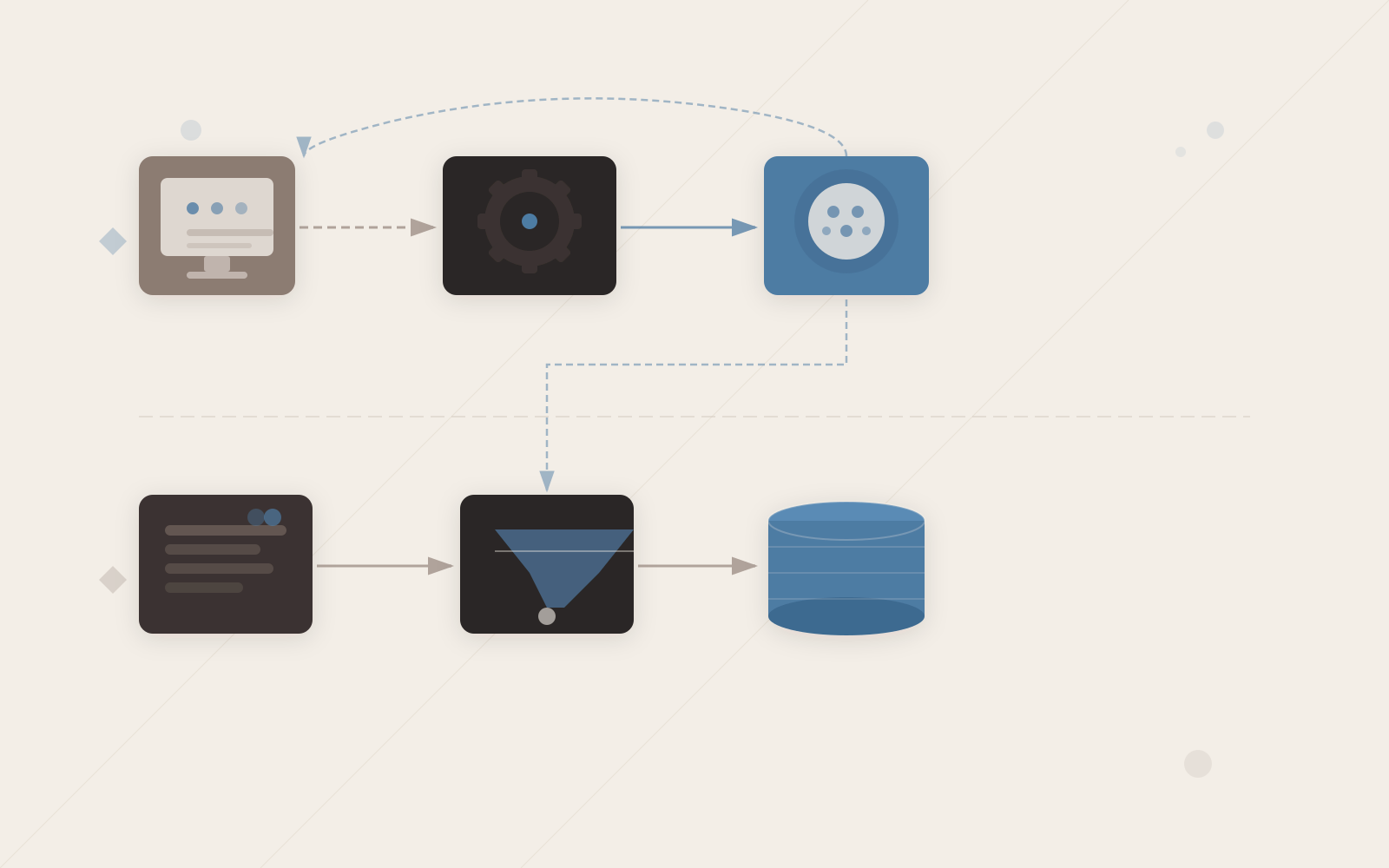
The session cookie enables two independent checks on every request: middleware reads it for fast route redirects, and the data access layer verifies it separately before any sensitive data is returned.
Where this architecture has gaps
Three situations where this standard setup needs adjustment:
Shared layouts don’t re-check on navigation. Because of how Next.js partial rendering works, a layout won’t re-execute its auth() call when you navigate between child pages inside that layout. If you put your auth check in app/dashboard/layout.tsx, it won’t run again when you navigate from /dashboard to /dashboard/settings. Put auth checks in individual page components or in the Data Access Layer — not in layout.tsx.
JWT sessions can’t be immediately revoked. If you issue a 30-day JWT and the user’s account is compromised, that session stays valid. The workaround is to add a database adapter. The extra database query on each request is worth it for apps where immediate revocation is a real requirement, not just a theoretical one.
The Edge runtime has limits. In Next.js 15, middleware runs in the Edge runtime by default. Some session libraries and bcrypt-style cryptography aren’t compatible with Edge — they expect Node.js APIs. If you hit a runtime error in middleware, check whether your session or crypto library supports Edge, or set export const runtime = "nodejs" at the top of middleware.ts.
None of these are reasons to avoid the standard pattern. They’re the places to look first when something doesn’t behave as expected.
Choosing the right setup for your situation
| Your situation | Recommended approach | Reason |
|---|---|---|
| Social login for a personal or small-team project | Auth.js with default JWT sessions | Simple, no database needed for sessions |
| Credentials login with passwords | Auth.js credentials provider + bcrypt + database sessions | Passwords need hashing; revocation matters for account takeovers |
| Multi-tenant app with roles | Database sessions + DAL with role checks | Middleware alone can’t enforce per-tenant data isolation |
| Compliance or immediate revocation required | Database sessions with short expiry | JWT sessions can’t be revoked faster than their expiry |
The left column is the situation you’re actually in, not a size metric. A small app handling financial data might still need database sessions.
For the TypeScript types across this setup — session shapes, user roles, request context — using TypeScript augmentation on next-auth is the standard approach. Adding a User type with a role field to the session makes role checks type-safe across the whole app.
Auth is infrastructure, not a feature
The easiest part of authentication is the sign-in form. The part that creates security problems is everything after — who has a valid session, what they can see, how you revoke access, and where you centralise the checks so you don’t miss one.
Treat session verification as infrastructure and build the Data Access Layer before you have roles or permissions to enforce. You’ll have a single place to audit, a single place to tighten, and a clear answer when someone asks “where do we check this?”
Start with Auth.js for the provider wiring, a stateless session for the token, middleware.ts for the redirects, and verifySession() for the data. Add a database adapter when revocation becomes a real requirement. That ordering keeps complexity proportional to the actual problem you’re solving.