A Practical Git Branching Workflow for Small Teams
Small teams don't need Gitflow's overhead. I explain branch naming, commit discipline, rebase vs merge, and why long-lived branches—not Git—cause merge pain.
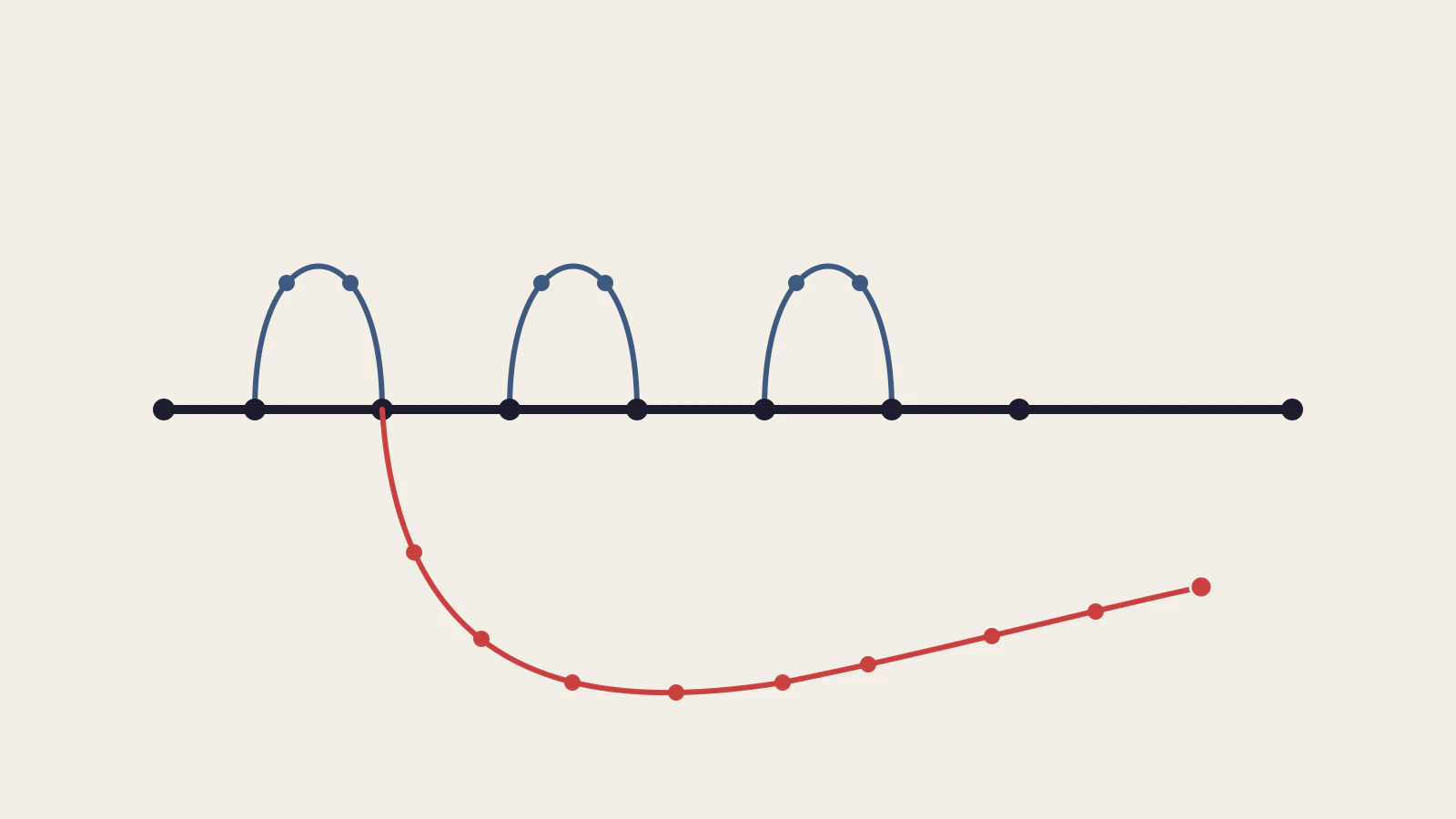
Most branching workflow articles treat Gitflow as the sensible default and then offer lighter options as the “beginner” path. I think that framing is backwards. For a team of two to eight people shipping continuously, Gitflow’s develop, release, and hotfix branch structure creates coordination work that costs time you’d rather spend building things.
My position: a trunk-ish flow — short-lived feature branches, a protected main, and release tags — is the right default for most small teams. There are situations where release branches earn their keep, and reaching for them then is the right call. But those situations are more specific than most teams realise.
This post builds on the mental model in Git Basics Every Developer Should Master — if branches as lightweight pointers is still new, start there first.
On this page
- Name branches so they’re readable at a glance
- Small commits are what make code review work
- Rebase locally, merge publicly
- Protecting main and the pull request loop
- Long-lived branches are the source of merge pain
- Release tagging and hotfixes
- Pick the right flow for your situation
Name branches so they’re readable at a glance
A branch name is a signal. It should tell a teammate what the branch is for without requiring a ticket lookup. The scheme that works well: a type prefix, a short description, and an optional issue number.
feat/user-authentication
fix/login-redirect-loop
chore/update-dependency
hotfix/null-pointer-on-empty-cart
The feat/ prefix marks new functionality. fix/ marks a bug. chore/ marks maintenance that doesn’t change user-facing behaviour. hotfix/ marks an urgent production repair. Pro Git describes topic branches as short-lived branches “for a single particular feature or related work” — the prefix just makes that purpose visible in the name.
Add an issue number when your project uses a tracker: feat/42-user-authentication links the branch directly to the ticket. If the description alone makes the context obvious, the number is optional.
Two rules worth enforcing early: keep names under 50 characters, and use hyphens not underscores. Names that wrap in a terminal get ignored; names that scan in half a second get used consistently.
Small commits are what make code review work
A commit is “reviewable” when your reviewer can understand the change without context you haven’t written down. That’s a more useful definition than “one file changed” or “one hour of work.” A reviewable commit does one logical thing.
The practical test: if you’d write “and” in the commit message, you probably have two commits.
git commit -m "Add email validation on signup form"       # good
git commit -m "Add email validation and fix the redirect" # split this
Write commit messages in the present imperative: “Add”, “Fix”, “Remove”. Git itself uses this style for automated messages — “Merge pull request #42” — and it makes git log --oneline read as a list of instructions rather than a past-tense journal.
The less obvious reason to keep commits focused: git bisect. When a regression appears weeks later, Git can binary-search your history to find the first bad commit. A commit that does one thing can be bisected out cleanly. A commit that refactors authentication and also patches a caching bug cannot be isolated — finding the culprit means reading both changes every time.
Rebase locally, merge publicly
When your feature branch has been sitting for a couple of days and main moved forward, the question is: how do I sync them cleanly?
The answer is git rebase, but only for commits you haven’t pushed yet. Running git rebase main from your feature branch takes your commits and replays them on top of main’s latest snapshot, giving you a clean linear history without merge commits cluttering the log. Pro Git phrases the rule precisely: “rebase local changes before pushing to clean up your work” — and the second half carries equal weight: do not rebase commits that you’ve already pushed somewhere.
When you rebase a pushed branch, you rewrite history that teammates may have already pulled. They end up with duplicate commits, unexpected conflicts, and confusion the next time they sync. Pro Git puts it plainly: if you push rebased history on top of commits others have based work on, “your collaborators will have to re-merge their work and things will get messy.”
The practical rules in day-to-day work:
- Before you push:
git rebase mainto sync your branch. Clean, no merge commits. - After you’ve pushed for review: don’t rebase. If main moves under you, use
git merge mainfrom your branch instead. - Force-push after a local rebase? Only on branches you own alone, never on shared branches, and never on main.
One sentence in a CONTRIBUTING.md covers this. Teams don’t need a policy document; they need one rule everyone knows cold.
Protecting main and the pull request loop
For a two-person team, a pull request can feel like bureaucracy. It’s still worth doing. The act of writing the PR description forces you to explain the change, and a second set of eyes catches things you stopped seeing after staring at the code for hours.
The setup is simple: GitHub’s branch protection rules let you require at least one approving review before a branch can merge, and they block direct force-pushes to main by default. Enable both. The force-push block prevents the scenario where someone accidentally rebases main and needs git push --force to “fix” it — which rewrites history for everyone.
A functional PR loop for a small team:
- Open early, as a draft when the work is in progress. This surfaces the design before the implementation is locked in.
- Keep PRs under 400 lines of change. Larger PRs get rubber-stamped. Smaller PRs get reviewed.
- Use squash merge. One commit per PR keeps
git logclean andgit bisectmore precise — each entry on main is a complete, meaningful change. - Delete the branch after merge. GitHub can do this automatically in repository settings.
The squash-merge trade-off: the individual commits from your feature branch are collapsed and no longer appear in the main log. If you want the step-by-step story, it remains in the PR’s commit history. For debugging months later, you get a clean linear log where every entry represents a finished piece of work.
Long-lived branches are the source of merge pain
There’s a pattern worth naming precisely: when developers describe “merge hell,” they’re almost always describing a problem caused by a branch that lived for three weeks, not a problem with Git’s merge algorithm.
Every day a feature branch doesn’t merge, the codebase changes under it. Functions get renamed. Types change. The module your branch depends on gets restructured. None of these conflicts are visible until merge day — they accumulate silently. By week three, you’re not resolving one decision; you’re resolving a month of parallel decisions that nobody coordinated in advance.
Trunk Based Development documentation names this directly: practitioners “resist any pressure to create other long-lived development branches” specifically to “avoid merge hell.” The fix isn’t a better conflict-resolution strategy — it’s not letting branches diverge that far.
The geometry of the problem is stark once you draw it out. Three feature branches that each live for two days and merge back cleanly look nothing like one branch that lives for three weeks. The short ones create three small, contained merge events. The long one creates a single unpredictable event full of accumulated surprises.
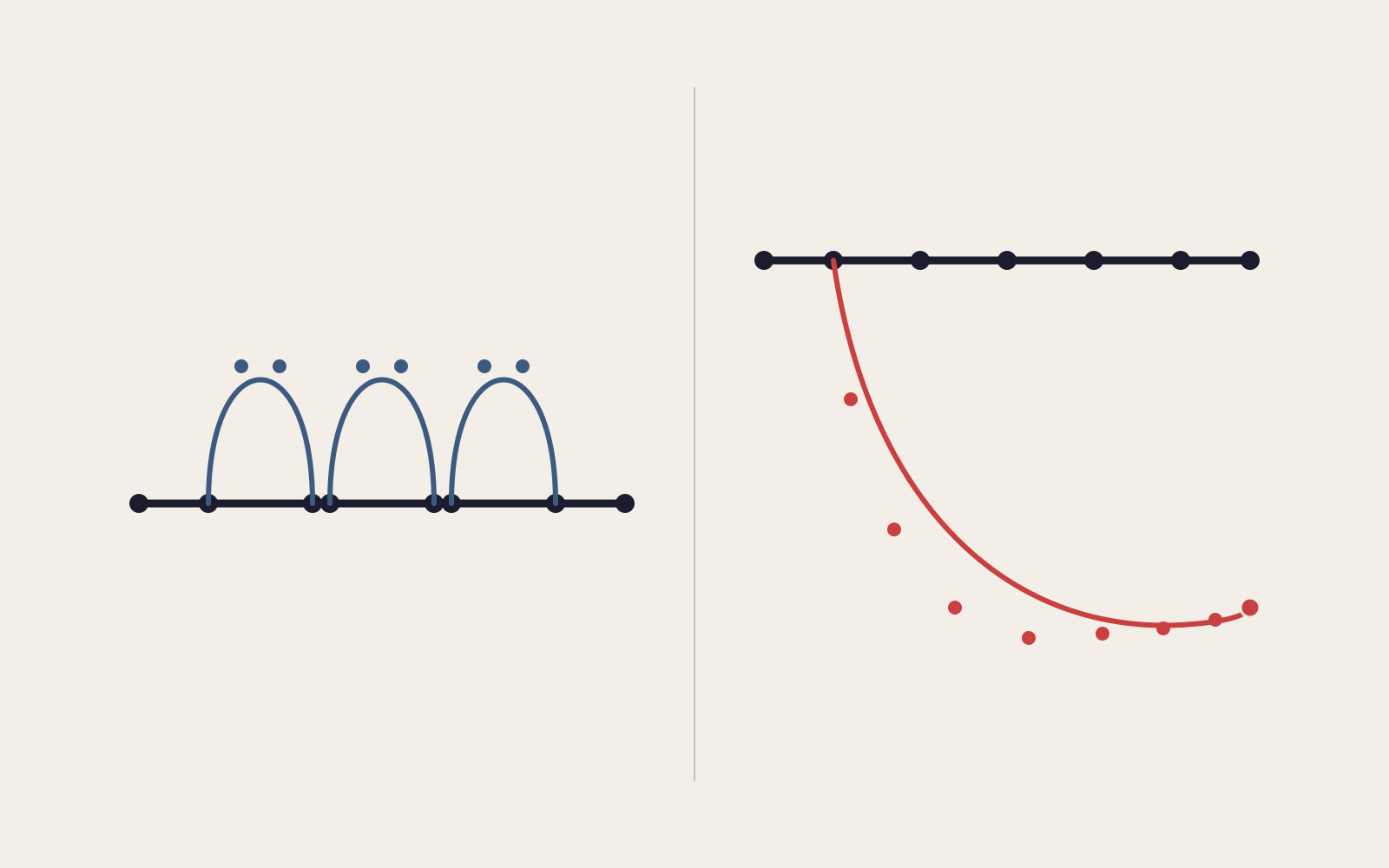
The practical implication: a feature branch that takes more than a week probably needs to be broken into smaller pieces. Not because a week is a magic threshold, but because after a week, “I know what changed on main” stops being reliably true.
Release tagging and hotfixes
The alternative to Gitflow’s release branches is a release tag: when main is in a shippable state, tag it.
git tag -a v1.3.0 -m "Release 1.3.0"
git push --tags
Git’s tagging documentation describes annotated tags — created with -a — as the recommended form for releases. They carry the tagger’s name, date, and a message, making the release history legible months later.
Hotfixes then work off the tag directly:
git switch -c hotfix/v1.3.1 v1.3.0   # branch from the release tag
# make the fix, test it
git switch main && git merge hotfix/v1.3.1 --no-ff
git tag -a v1.3.1 -m "Hotfix: null pointer on empty cart"
git push && git push --tags
git branch -d hotfix/v1.3.1
This handles the common case: you need to patch a version in production while main has already moved ahead with new features.
When a release branch is worth having instead: release branches become genuinely useful when your release process takes longer than the gap between new features, or when you maintain multiple live versions simultaneously. Mobile apps are the clearest example — a release candidate might sit in app store review for a week while development on the next version continues on main. A release branch lets you stabilize that version independently without stalling feature work.
The same logic applies to libraries or any software where customers pin to a version and expect security patches indefinitely. For a web app with continuous deployment, a tag and a rollback plan handles it.
Pick the right flow for your situation
| Your situation | Recommended approach |
|---|---|
| 2–8 devs, web app, deploying continuously | Short-lived feature branches + protected main + release tags |
| 2–8 devs, mobile app with app store review | Add one release branch per shipped version; delete after it ships |
| Scheduled release cycles (monthly or quarterly) | Gitflow-style develop and release branches are worth the overhead |
| Solo or a pair, small side project | Commit to main directly; feature branches only for risky experiments |
| CI/CD pipeline with feature flags in active use | True trunk-based: branches merge within one or two days, flags gate incomplete work |
The table is a guide, not a verdict. A mobile team shipping every two weeks might not need a release branch if they tag carefully and have a clean rollback path. A web team deploying to multiple environments might reach for a staging branch that behaves like Gitflow’s develop.
The signal to watch: how often is your team resolving conflicts rather than writing code? When that ratio inverts, the branching strategy is working against you.
Short branches matter more than the right workflow
The problem underneath most “our workflow failed us” post-mortems isn’t a bad choice of workflow. It’s branches that lived too long.
Pick the simplest flow that fits your release model, protect main with one rule, and commit to closing feature branches within a few days. That discipline is harder than choosing a workflow diagram, and it’s also the part that actually scales.
One limitation worth being honest about: if you ship a versioned product where customers pin to major releases, the tag-only approach eventually runs out. Release branches are not overhead in that context — they’re the right tool for maintaining shipped versions in parallel. If that’s you, Atlassian’s Gitflow walkthrough is worth reading in full.
For the deployment context that makes “ship from main” sensible in the first place, how the web works is the background reading.
Sources
- Pro Git, chapter 3.4: Branching Workflows — topic branches — git-scm.com
- Pro Git, chapter 3.6: Rebasing — the never-rebase-published rule — git-scm.com
- Pro Git, chapter 2.6: Tagging — git-scm.com
- Trunk Based Development: Introduction — trunkbaseddevelopment.com
- Gitflow Workflow — Atlassian git tutorials
- About protected branches — GitHub Docs