CI/CD Explained: From Git Push to Production
I walk through how a CI/CD pipeline works — from git push through build, test, and deploy stages — and explain the real distinction between continuous integration, delivery, and deployment.
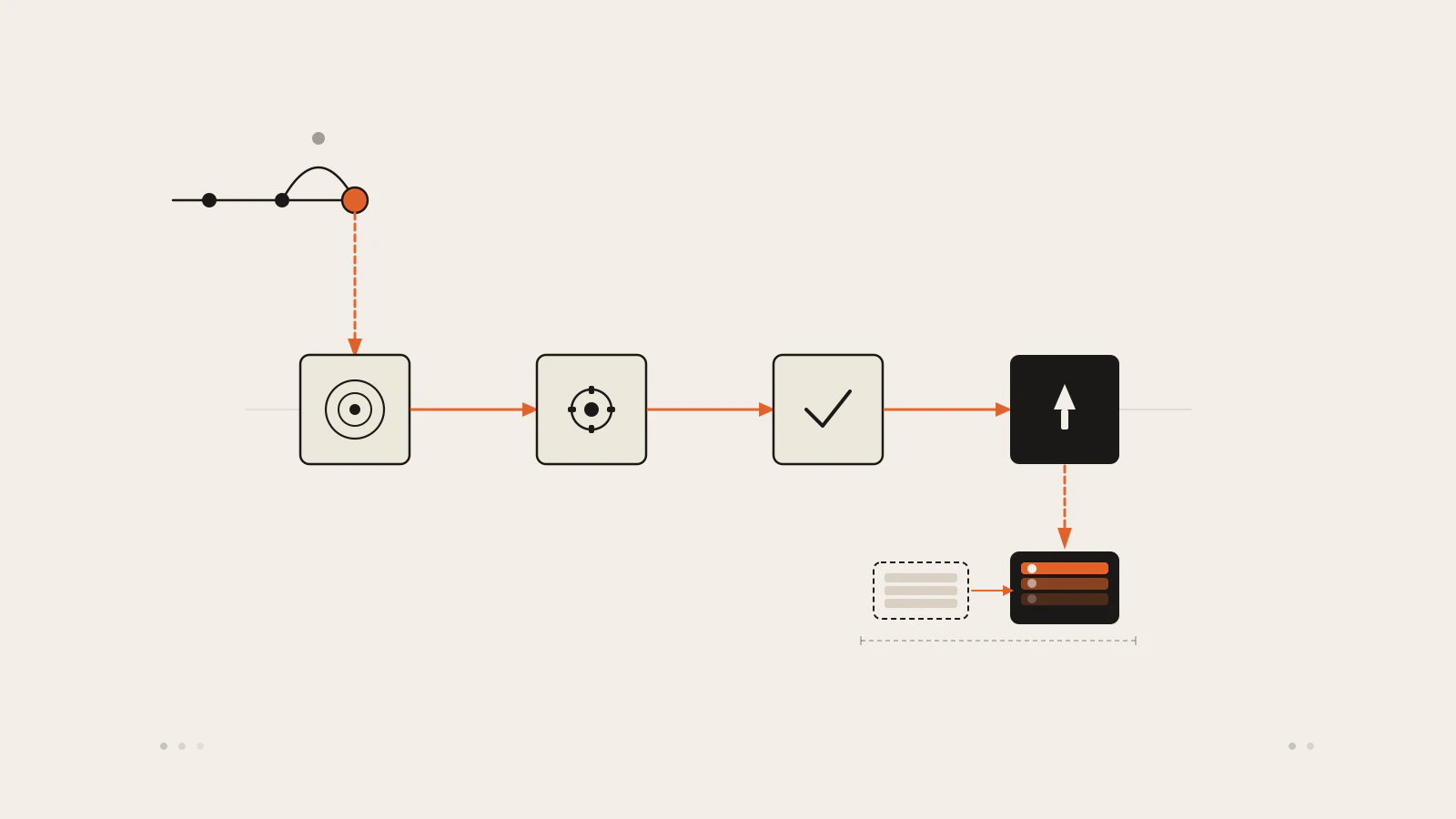
Most developers learn CI/CD from a pipeline file they’ve never fully read. Someone set it up, it runs on every push, tests pass, the thing deploys. When it breaks, you check the Actions tab. When it doesn’t, you don’t think about it at all.
That gap matters. Understanding the model under the tooling changes how you design your branches, why you structure your tests the way you do, and what it means when someone says “the pipeline is red.” When a bug makes it to production despite passing CI, you need to know which stage failed to catch it — and why.
I’m going to walk through how a CI/CD pipeline actually works: what happens at each stage from the moment code leaves your machine to the moment it runs in production, why continuous integration, continuous delivery, and continuous deployment mean different things, and how teams move code through environments without accidentally deploying broken builds.
Series: CI/CD in Practice — Part 1 of 2. Part 2 walks through building a real pipeline with a step-by-step tooling walkthrough.
On this page
- Three terms that get mixed together
- The four stages of a pipeline
- Branch strategies and integration frequency
- Artifact promotion: build once, promote everywhere
- Getting code to production safely
- Where early pipelines go wrong
Three terms that get mixed together
CI/CD bundles three related practices under one label, and the differences between them affect what your pipeline actually does.
Continuous integration is the practice of merging all developer work into a shared mainline — typically main — at least once per day. Every push triggers an automated build and test run. The goal is to find integration conflicts early, while they’re a few hours of code rather than a few weeks. Martin Fowler, who helped define the practice in the late 1990s alongside Kent Beck, describes it as a system where “each member of a team merges their changes into a codebase together with their colleagues changes at least daily” and every integration is verified by an automated build.
Continuous delivery extends CI further down the path toward production. The pipeline carries the build all the way to a production-ready state, but a human still decides when to actually release. The mainline is always releasable. Jez Humble and Dave Farley define it as building software “in such a way that the software can be released to production at any time.” Releasing is still a deliberate business decision — a button press, not an automatic event.
Continuous deployment removes that decision entirely. Every commit that passes the full pipeline is pushed to production automatically. No approval step, no manual trigger. It’s the most aggressive of the three and requires deep confidence in your automated test suite.
| Term | What it does | Who triggers the release |
|---|---|---|
| Continuous integration | Merges code and verifies with automated tests | Always automated |
| Continuous delivery | Takes every commit to a production-ready state | Human decides when to release |
| Continuous deployment | Deploys every passing commit automatically | Pipeline deploys, no human in the loop |
The confusion happens because all three sit under the “CI/CD” banner. When a team says they do CI/CD, they might mean any combination of these — often they mean the first and parts of the second, occasionally the third.
The four stages of a pipeline
Most pipelines follow four stages regardless of which tool runs them.
Source. The pipeline starts when code changes — a push to the main branch or a merged pull request. This is the trigger. The pipeline checks out that specific commit and passes it forward. Nothing else happens here, but this stage is where you define who can trigger a deployment, which branches kick off which pipelines, and what conditions must be true before work begins.
Build. The code is compiled (if needed), dependencies are installed, and the output is an artifact: a Docker image, a compiled binary, a zip of static files, or whatever your application ships as. This stage should be deterministic — the same source code should produce the same artifact every time, on any machine.
Test. The artifact (or the source, depending on how the pipeline is structured) runs through automated tests. Fast unit tests go first, integration tests next, then anything that needs a live environment. If a test fails, the pipeline stops and reports the failing commit. Slow tests run later in the sequence to avoid blocking fast feedback.
Deploy. The artifact gets pushed to an environment — staging, pre-production, or production. In continuous delivery, a human decides which environment and when. In continuous deployment, the pipeline handles this automatically.
Check this before moving on
- You can describe the difference between the build stage and the deploy stage
- You understand why a test failure in the test stage blocks the deploy stage
- You know what an “artifact” means in the context of your current project
Branch strategies and integration frequency
How you manage branches determines how well CI actually works.
Trunk-based development — where everyone pushes small commits directly to main every day — is the pattern CI was designed around. With short-lived branches (a few hours, not days), merge conflicts are small. When the pipeline catches a failing test, the change that broke it is recent and obvious. If you’re not familiar with how branches work at a lower level, git basics covers the fundamentals and git branching workflow goes into the practical patterns.
Feature branching is the common alternative. Developers work on longer-lived branches and merge when a feature is complete. A CI service running tests on those branches looks like continuous integration but isn’t. Fowler calls this “semi-integration” — the tests pass on the branch, but nobody checks whether the branches work together until they merge. Long feature branches produce long, unpredictable merges.
The DORA research program — a multi-year study of software delivery performance led by Nicole Forsgren — found a clear correlation: high-performing teams tend to maintain fewer than three active branches and merge to mainline at least once per day. Low-performing teams have longer-lived branches and less frequent integration. The research doesn’t establish causation, but the pattern held across thousands of teams.
The practical path for most teams is short-lived feature branches — ideally one to two days maximum — that merge quickly and trigger the pipeline on every push. Pull requests with automated CI checks make this easy to enforce without requiring everyone to push directly to main.
Artifact promotion: build once, promote everywhere
A common mistake in early pipelines is rebuilding the application for each environment. The pipeline builds and tests in CI, then builds again for staging, then builds again for production. If the build process has any environment-specific variation — a different dependency resolution, a different compile flag — you’re testing one thing and deploying another.
The correct pattern is to build the artifact once and promote it through environments unchanged. The same Docker image that passes the test stage goes to staging without modification. The same image that passes staging goes to production. Nothing gets rebuilt. The only thing that changes between environments is configuration: environment variables, database connection strings, feature flags — injected at runtime, not compiled into the build.
This makes test results mean something. When the test stage passes, you have evidence about that specific artifact. When you promote it to production, you’re not starting fresh with a new unknown.
Getting code to production safely
Even with a fully green pipeline, releasing to production carries risk. Two deployment techniques reduce that risk without requiring a full rollback.
Blue/green deployment keeps two identical production environments live at once. One takes real traffic; the other is idle. When you release a new version, you deploy it to the idle environment and run any final checks. Once it passes, you switch the load balancer so all traffic goes to the updated environment. The switch is near-instant. If something breaks, you switch back. Fowler first described this in 2010 as a way to separate the deployment step from the cut-over step — the application is deployed long before users see it, which removes the time pressure from the release.
Rolling deployment replaces instances of the old version with the new version one at a time, rather than all at once. If your application runs on six servers, a rolling deployment updates one, waits for it to become healthy, then updates the next. During the rollout, some users see the old version and some see the new one. This is fine for backward-compatible changes, but it requires careful handling when old and new versions share a database schema. If a column is removed in the new version and the old version still reads it, you’ll have errors during the overlap window.
Both techniques give you a window to detect problems before your full user base is affected. Blue/green is simpler to reason about, but costs more because you’re running two full environments. Rolling is more infrastructure-efficient, but the overlap period requires discipline in how you manage schema changes.
Where early pipelines go wrong
A few failure patterns appear in almost every team’s first CI/CD setup.
Slow tests block everything. A 40-minute test suite run on every commit breaks the feedback cycle. Developers stop waiting for results and merge before seeing them. The fix is to run fast tests first and push slow ones to a parallel stage or a scheduled run.
The build produces different output depending on where it runs. If the build stage produces different artifacts on a developer laptop versus the CI server — different installed dependency versions, different implicit compile assumptions — artifact promotion doesn’t work. Version-pin your dependencies and commit a lockfile.
Secrets appear in pipeline logs. Credentials hardcoded in pipeline YAML or passed as unmasked environment variables show up in log output. Use your CI platform’s secrets manager and inject credentials at runtime, never at build time.
The pipeline deploys to production on every push to main, but the team isn’t ready for that. Continuous deployment is a real practice, but not the right default for every project. If you want a human decision point before production, add an approval gate — or deploy automatically only to staging and require a manual trigger for the production environment.
A well-structured REST API also benefits from CI/CD discipline, especially around test coverage before deployment. The Node.js REST API post walks through a practical example if you want to see how a testable API structure looks.
The pipeline is a feedback loop
CI/CD doesn’t change what you’re building. It changes how quickly you find out whether what you built works. The pipeline is a signal: source, build, test, deploy. When it’s fast and trustworthy, releasing becomes routine. When it’s slow or inconsistent, teams route around it and lose the point.
The four stages here are the same regardless of which tool runs them. The next part of this series translates this model into a real configuration file — and shows what a working pipeline looks like for a typical project.
Sources
- Continuous Integration — Martin Fowler (martinfowler.com, updated January 2024)
- ContinuousDelivery — Martin Fowler bliki (martinfowler.com)
- BlueGreenDeployment — Martin Fowler bliki (martinfowler.com)
- Continuous Delivery — Jez Humble and Dave Farley (Addison-Wesley, 2010)
- Accelerate: The Science of Lean Software and DevOps — Nicole Forsgren, Jez Humble, Gene Kim (IT Revolution, 2018)