Building Reliable Jobs with BullMQ and Redis
I walk through BullMQ's Queue, Worker, and QueueEvents APIs, show how retries and backoff work, and cover the dead-letter queue pattern for failed jobs.
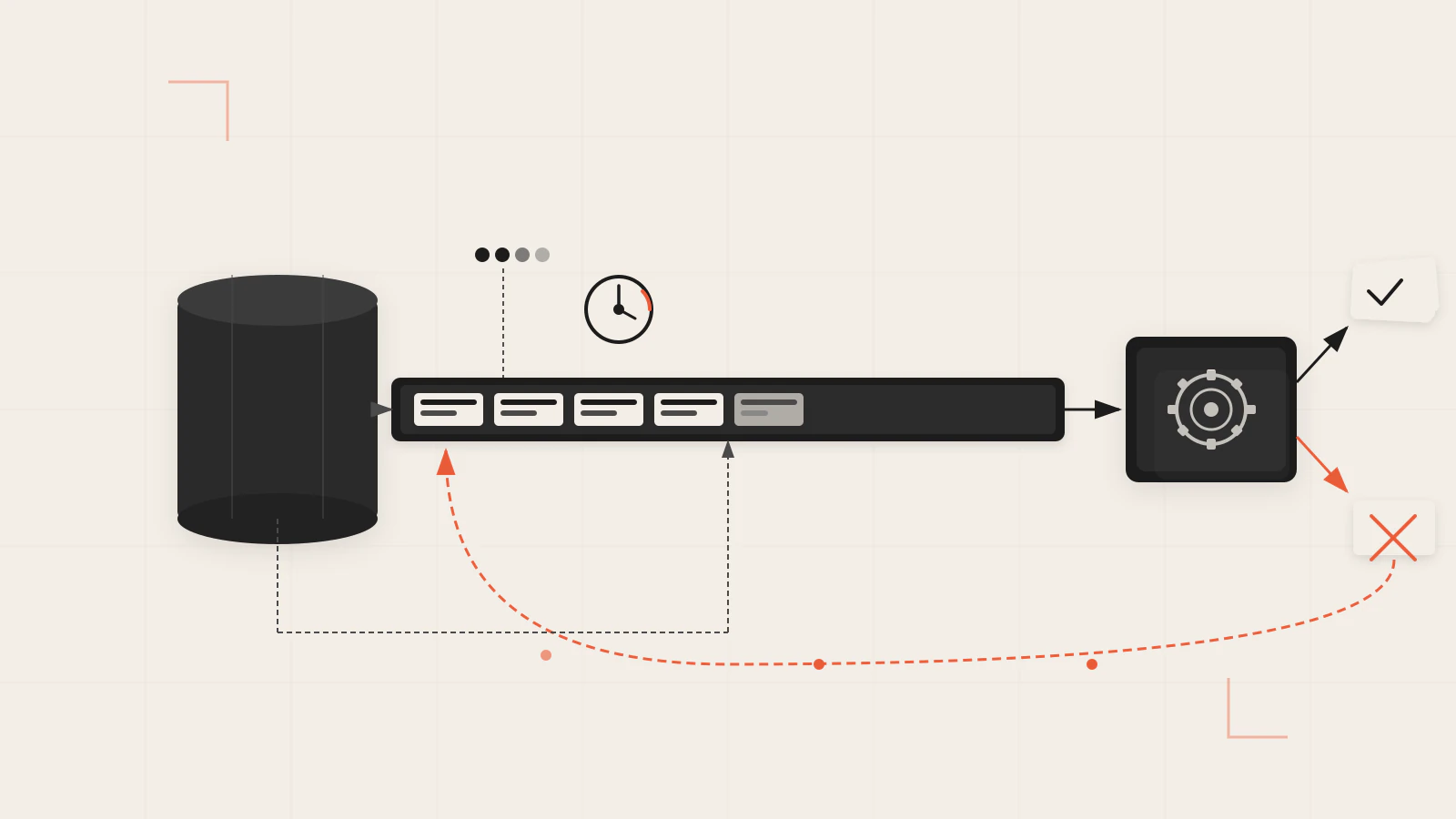
The first time I wired BullMQ into a Node.js app, I thought the hard part was Redis. Get it running, pass in the connection, done. The first batch of jobs worked perfectly. Then I deployed it, and over a few days the failed set filled up — jobs that hit a momentary database error, jobs that ran during a downstream blip — all sitting there with no recovery strategy, no way to tell which needed human attention and which would fix themselves on a retry.
The problem wasn’t Redis. It was that I had treated BullMQ like a fire-and-forget tool. Reliability requires deliberate configuration: how many times to retry, how long to wait between attempts, how to keep Redis clean, and how to prevent the same job from running twice when an API call is duplicated.
Quick answer: BullMQ needs three classes working together —
Queueto enqueue jobs,Workerto process them, andQueueEventsto observe events from all workers. Setattempts,backoff, andremoveOnCompleteon every job that touches an external service. Use custom job IDs for idempotency. Listen to thefailedevent onQueueEventsand route exhausted jobs to a dead-letter queue you can actually inspect.
On this page
- Queue, Worker, QueueEvents: the three-class model
- Job options that change how failures behave
- Concurrency: one worker or a fleet
- Idempotency with custom job IDs
- Dead-letter queue pattern for jobs that won’t recover
- Mistakes that make reliability worse
- Treat the failed set as a checkpoint, not a dustbin
Queue, Worker, QueueEvents: the three-class model
BullMQ separates its responsibilities clearly. Queue adds jobs. Worker consumes and processes them. QueueEvents listens to what’s happening across all workers, from any process in your infrastructure.
import { Queue, Worker, QueueEvents } from 'bullmq';

const connection = { host: 'localhost', port: 6379 };

const emailQueue = new Queue('emails', { connection });

const emailWorker = new Worker(
  'emails',
  async (job) => {
    await sendEmail(job.data.to, job.data.subject, job.data.body);
  },
  { connection },
);

const emailEvents = new QueueEvents('emails', { connection });
emailEvents.on('completed', ({ jobId }) => {
  console.log(`Job ${jobId} finished`);
});
emailEvents.on('failed', ({ jobId, failedReason }) => {
  console.error(`Job ${jobId} failed: ${failedReason}`);
});
The Queue and Worker connect to the same queue by name — that shared name is what links them. When the worker’s processor throws an error, BullMQ catches it and moves the job to the failed state automatically.
QueueEvents uses Redis streams under the hood, which means events are durable. If your listener is offline briefly, it receives missed events when it reconnects — up to the default stream limit of around 10,000 events.
In a typical service, the Queue instance lives near your API routes or service layer. The Worker runs in a separate process you can scale independently. Keeping them separated means a long-running job won’t block your HTTP server. If you want to understand how Node.js handles concurrency at the runtime level, the post on how the Node.js event loop works explains the mechanics.
Job options that change how failures behave
Most reliability problems in BullMQ come from leaving options at their defaults. The defaults are conservative: one attempt, no backoff, and failed jobs kept in Redis indefinitely.
Retries with attempts and backoff
The attempts default is 1. A job that fails once stays failed permanently. For anything calling an external service, you almost always want retries:
await emailQueue.add(
  'welcome-email',
  { to: user.email, subject: 'Welcome aboard', body: welcomeBody },
  {
    attempts: 5,
    backoff: {
      type: 'exponential',
      delay: 2000,
    },
  },
);
Exponential backoff with a 2,000ms seed retries after 2s, 4s, 8s, 16s, and 32s. That spread handles transient errors — a brief database unavailability, a downstream API rate limit — without hammering the service on every attempt. Fixed backoff (type: 'fixed') retries at a constant interval, which is better when you know exactly how long to wait, like respecting a Retry-After header from a rate-limited API.
You can also set defaults at the queue level so you don’t repeat them on every add call:
const emailQueue = new Queue('emails', {
  connection,
  defaultJobOptions: {
    attempts: 5,
    backoff: { type: 'exponential', delay: 1000 },
  },
});
Scheduling with delay
delay postpones when a job first enters the active state, measured in milliseconds. It’s the clean way to handle scheduled work — send a follow-up email 24 hours after signup, run a report at a future timestamp:
await emailQueue.add(
  'follow-up',
  { to: user.email },
  { delay: 24 * 60 * 60 * 1000 }, // 24 hours from now
);
Keeping Redis clean with removeOnComplete and removeOnFail
Completed and failed jobs stay in Redis by default. A reasonable production setup keeps a bounded window of each:
await emailQueue.add(
  'welcome-email',
  { to: user.email, subject: 'Welcome aboard', body: welcomeBody },
  {
    attempts: 5,
    backoff: { type: 'exponential', delay: 1000 },
    removeOnComplete: { count: 1000, age: 3600 },  // keep up to 1 hour, max 1,000 jobs
    removeOnFail:    { count: 5000, age: 86400 },   // keep up to 24 hours, max 5,000 jobs
  },
);
The age value is in seconds. The count cap protects you if a burst of failures arrives faster than the age window clears them. Keep more failed jobs than completed ones — completed jobs are informational, failed jobs are diagnostic.
Check this before moving on
- Your processor function throws native
Errorobjects, not strings (throw new Error('...')notthrow 'message') -
attemptsis greater than1on jobs that call external services or databases -
removeOnFailis aKeepJobsobject ({ count, age }), nottrue, unless you genuinely never need to inspect failures
Concurrency: one worker or a fleet
A single Worker processes one job at a time by default. If your processor is I/O-bound — making database queries or outbound HTTP calls — you can increase throughput within a single instance using the concurrency option:
const emailWorker = new Worker(
  'emails',
  async (job) => {
    await sendEmail(job.data);
  },
  { connection, concurrency: 20 },
);
A concurrency of 20 means the worker holds up to 20 jobs in-flight at once. This works because Node.js handles async I/O concurrently on the event loop — no extra threads needed. You can also adjust it at runtime:
emailWorker.concurrency = 5; // slow down during a deploymentFor CPU-intensive work — resizing images, generating PDFs — higher concurrency won’t help and can cause jobs to stall. The processor occupies the event loop too long, BullMQ can’t renew the job’s lock, and the job gets reprocessed. For CPU-heavy processors, use a sandboxed processor that runs in a separate process, or keep concurrency at 1.
The other way to scale is multiple worker processes — the recommended production approach. It gives you both higher throughput and fault tolerance: if one worker crashes, the others keep running. Running three processes each with concurrency: 10 gives you 30 concurrent jobs with resilience built in.
Idempotency with custom job IDs
If a user clicks submit twice, or your API handler gets retried by a load balancer, do you want the job to run twice? For most things — sending an email, charging a card, creating an account record — the answer is no.
BullMQ lets you specify a custom jobId. If you add a job with an ID that already exists in the queue, the duplicate is silently ignored. No error, no second enqueue, just a quiet skip:
await emailQueue.add(
  'welcome-email',
  { to: user.email },
  { jobId: `welcome-${user.id}` },
);
The deduplication is queue-scoped and only applies while the first job still exists. Once a job is removed — by removeOnComplete, removeOnFail, or manual deletion — its ID is free again. This protects against near-simultaneous duplicates, not duplicates separated by hours.
One constraint: custom job IDs cannot be numeric-only strings. "123" collides with BullMQ’s internal ID format and will throw. Prefix your IDs with a meaningful label: "welcome-123", "invoice-456", "report-2025-09-16".
Before you continue: If you add a job with
jobId: "welcome-42", it completes, and then you add another job with the samejobId— what happens?
The second job is accepted and runs. The first was removed on completion, so its ID no longer exists in the queue. Custom IDs prevent duplicates among jobs currently present, not across historical completions. For longer-lived deduplication, you need an external record — a Redis key with a TTL works well.
Dead-letter queue pattern for jobs that won’t recover
When a job exhausts its attempts, BullMQ moves it to the failed state and stops. At that point you have three options: leave it, delete it, or route it somewhere for human review. The dead-letter queue pattern handles the third case.
The idea is simple: listen to the failed event on your QueueEvents instance. When a job has used all its attempts, add a copy of it — with metadata about why it failed — to a separate queue that a human or an admin tool can inspect.
const deadLetterQueue = new Queue('emails-dead-letter', { connection });

emailEvents.on('failed', async ({ jobId, failedReason }) => {
  const job = await emailQueue.getJob(jobId);
  if (!job) return;

  // Only route jobs that have exhausted all attempts
  const maxAttempts = job.opts.attempts ?? 1;
  if (job.attemptsMade < maxAttempts) return;

  await deadLetterQueue.add(
    'exhausted',
    {
      originalJobId: jobId,
      originalData: job.data,
      failedReason,
      failedAt: new Date().toISOString(),
    },
    { removeOnComplete: true },
  );
});
The dead-letter queue is not processed by any automatic worker. A separate admin endpoint or background sweep reads it, alerts on-call, and allows replaying the job after fixing the root cause.
This works well alongside structured error handling in your API layer. The post on centralised error handling in Node.js shows how to keep error reporting consistent between HTTP request failures and background job failures.
Mistakes that make reliability worse
Leaving attempts at 1 for external calls. The default is intentional for jobs that should not silently retry — but most jobs calling a database, a payment provider, or an email service should retry on transient failures. Forgetting to set attempts is the most common oversight.
Setting removeOnFail: true. This deletes failed jobs immediately. If a job fails and you don’t know why, you have no record. Use { count: 5000 } instead.
CPU-heavy processors with high concurrency. Node.js is single-threaded for CPU work. A processor that runs synchronous computation for several hundred milliseconds blocks the event loop, BullMQ can’t renew the job’s lock, and the job gets marked stalled. For CPU-intensive tasks, keep concurrency: 1 or move the work to a sandboxed processor running in a separate process.
Not attaching an error handler to the worker. In Node.js, an unhandled error event on an EventEmitter crashes the process. BullMQ’s Worker extends EventEmitter. Always attach a handler:
worker.on('error', (err) => {
  console.error('Worker error:', err);
});
If you’re adding BullMQ to an existing Express API, the post on structuring a production Express project shows where worker setup fits in the broader service layout — and why keeping it out of your route files matters. For a foundation of how to build the API it sits alongside, the REST API with Node.js and Express post covers the starting point.
Treat the failed set as a checkpoint, not a dustbin
A job in the failed set tells you something specific: the data was valid enough to enqueue, something downstream rejected it, and it didn’t self-recover after every retry. That’s worth examining and acting on — not deleting immediately.
The configuration is simple once you see the goal: attempts and backoff for recoverable failures, removeOnFail with a count limit instead of true, and a QueueEvents listener to route the rest. Once those three things are in place, the queue handles routine failures on its own and the dead-letter queue surfaces only the genuinely stuck jobs.
If you’re new to Redis and want to understand the data structures BullMQ uses underneath, it’s worth studying the fundamentals before tuning these settings in production.